Retropa / Controls
Controls that land where your thumbs do.
A touch screen has no edges to feel for, so the hard part of emulation on a phone is not speed — it is presses that land between buttons. This page covers how Retropa resolves each touch, how presses feel, and how controllers, turbo and sound fit in.

Free to download. Optional in-app purchases. iOS 18 or later.
Fixed or adaptive hot zonesPlus
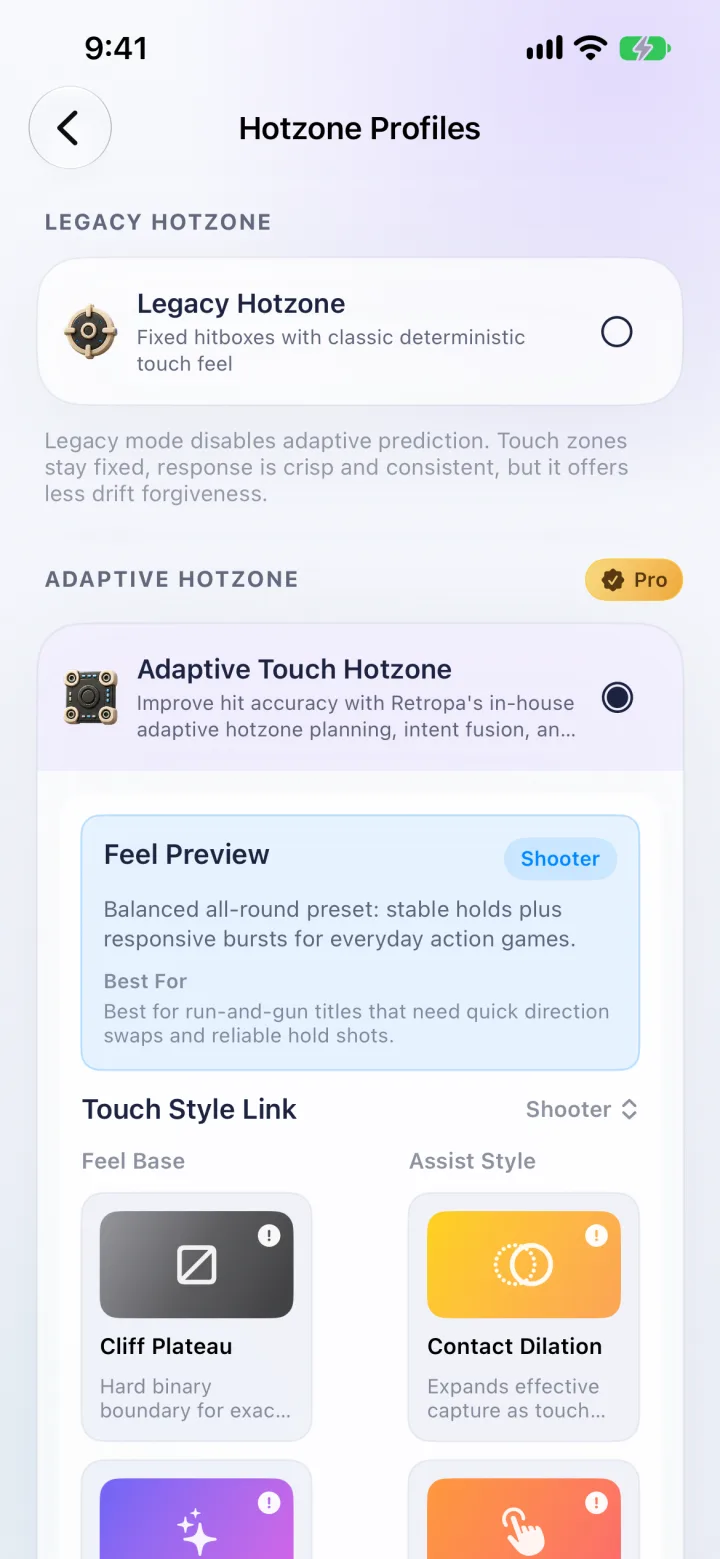
Every on-screen button has a hot zone: the area that counts as a press. Legacy hot zones are fixed hitboxes — crisp and consistent, but a press in the gap between two buttons does nothing. Adaptive Touch Hotzone plans the zones so they fill those gaps, fuses where you tapped with what you were just pressing, and steadies the result over time. Zones drift toward where your thumbs actually land, within limits, and relax back to the default layout when you stop playing.
- The skin's artwork never moves; only how touches are resolved changes.
- The D-pad resolves diagonals as fan-shaped sectors with extra room for down, and gives way to face buttons where they overlap.
- Fixed hot zones stay available for players who want strictly deterministic hitboxes.
Five touch styles, and settings per gamePlus
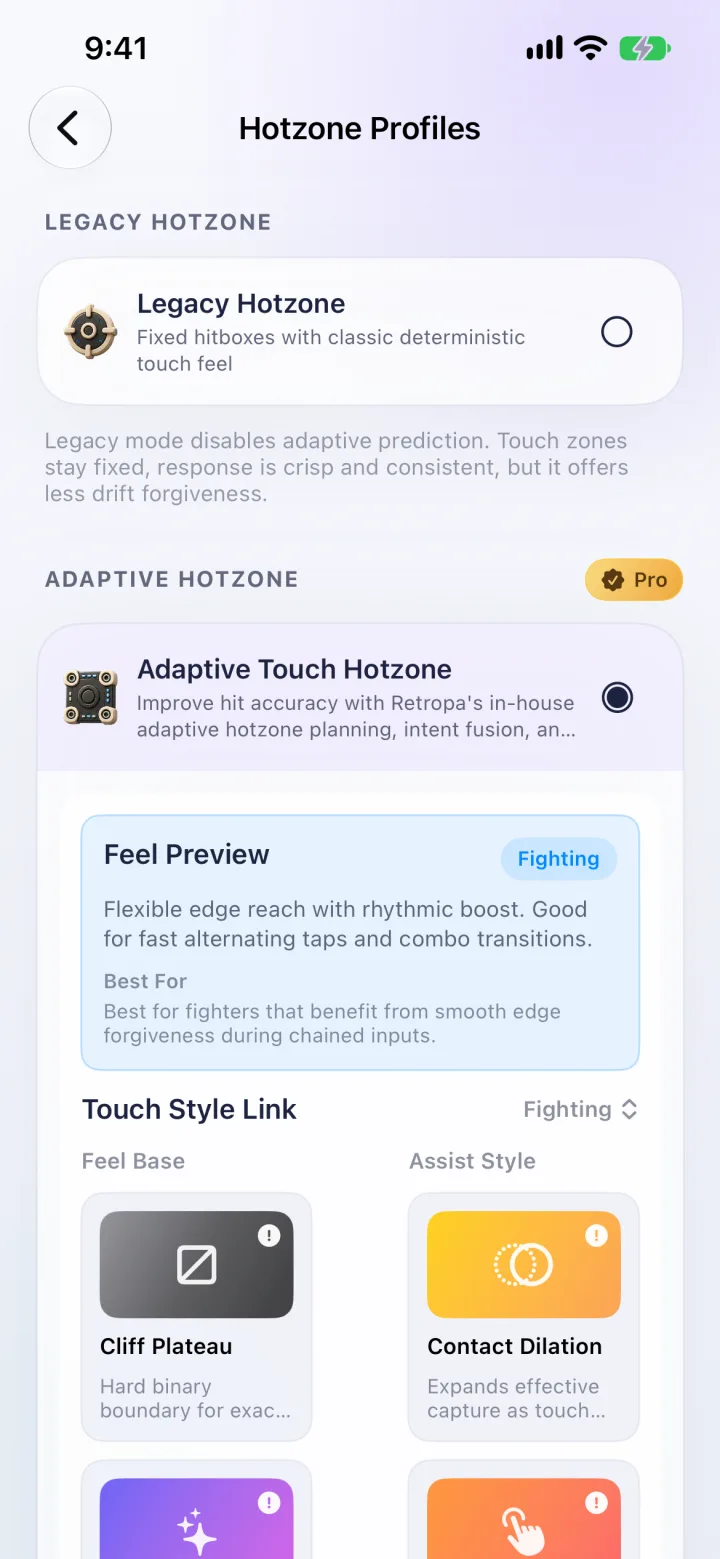
A touch style tunes the adaptive engine for how a genre is played. Choose one for every game, or open Control in the in-game menu to give a single game its own hot zone mode and style.
| Style | Best for |
|---|---|
| Platformer | Precise movement and jump timing in platform games |
| Shooter | Run-and-gun games that need quick direction swaps and reliable hold shots |
| Fighting | Fighters that benefit from smooth edge forgiveness during chained inputs |
| Action | High-pressure action where snap-in speed and hold stability both matter |
| Rhythm | Rhythm-heavy play with frequent repeated taps and a steady tempo |
- Advanced users can mix a feel base and an assist style — for example Cliff Plateau for hard boundaries or Contact Dilation to widen capture as your contact area grows.
Haptics you can tune button by buttonPlus
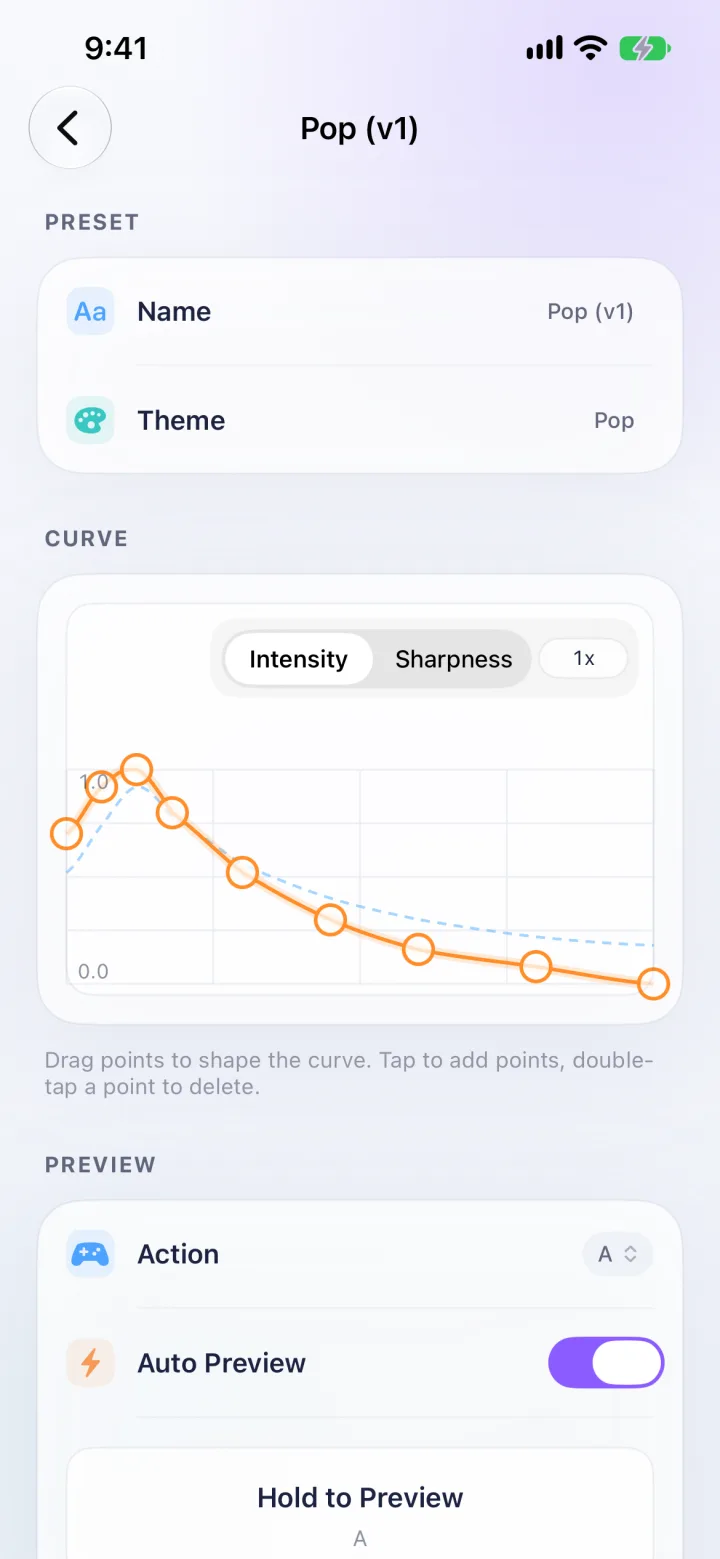
Turn on Waveform Mode and each button plays its own Core Haptics waveform for press and release. Game Boy, Game Boy Color, GBA, NES and Super NES each include four packs — Classic, Best, Soft and Retropa. Curve Studio shapes the intensity and sharpness of a press over time, and per-action overrides let one button feel different from the rest.
- Without Waveform Mode, Retropa uses simple haptics.
- Audio-haptic sync is available on devices that support it.
- iPad has no haptic engine, so haptics are an iPhone experience.
Controllers, mapped before you ask
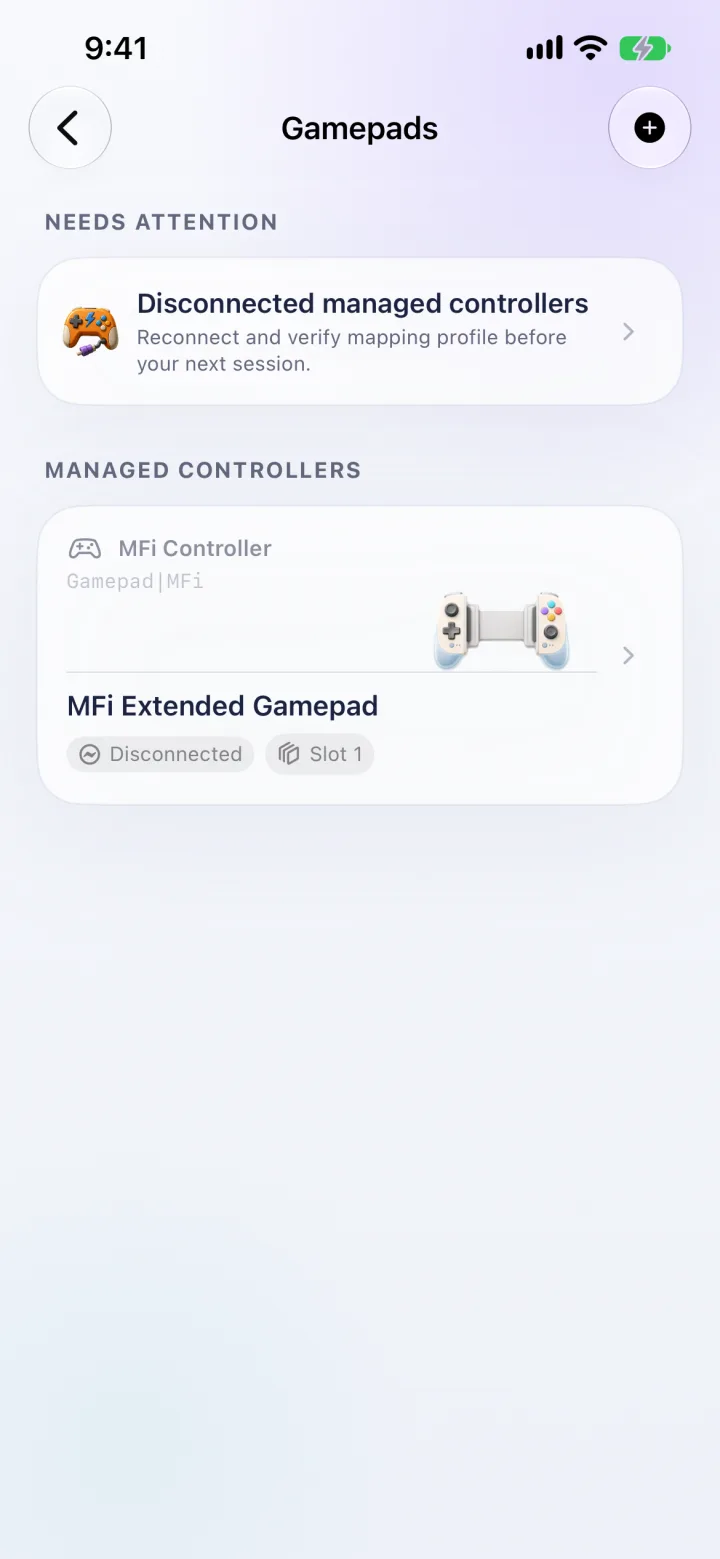
Pair a controller in iOS Settings and Retropa identifies it, shows matching artwork and applies a built-in template for Xbox, DualSense or DualShock, Nintendo or 8BitDo layouts. Every managed controller keeps its own slot and mapping profile, and reconnects without being set up again. The mapping center highlights each physical button as you press it, and any binding can be changed.
- Rumble plays on controllers that support it; DualSense adaptive triggers are used where available.
- Several controllers with their own configurations need Retropa Plus.
- In Console Mode the game goes to a TV or display while your iPhone keeps working as the controller.
Turbo where you want itPlus
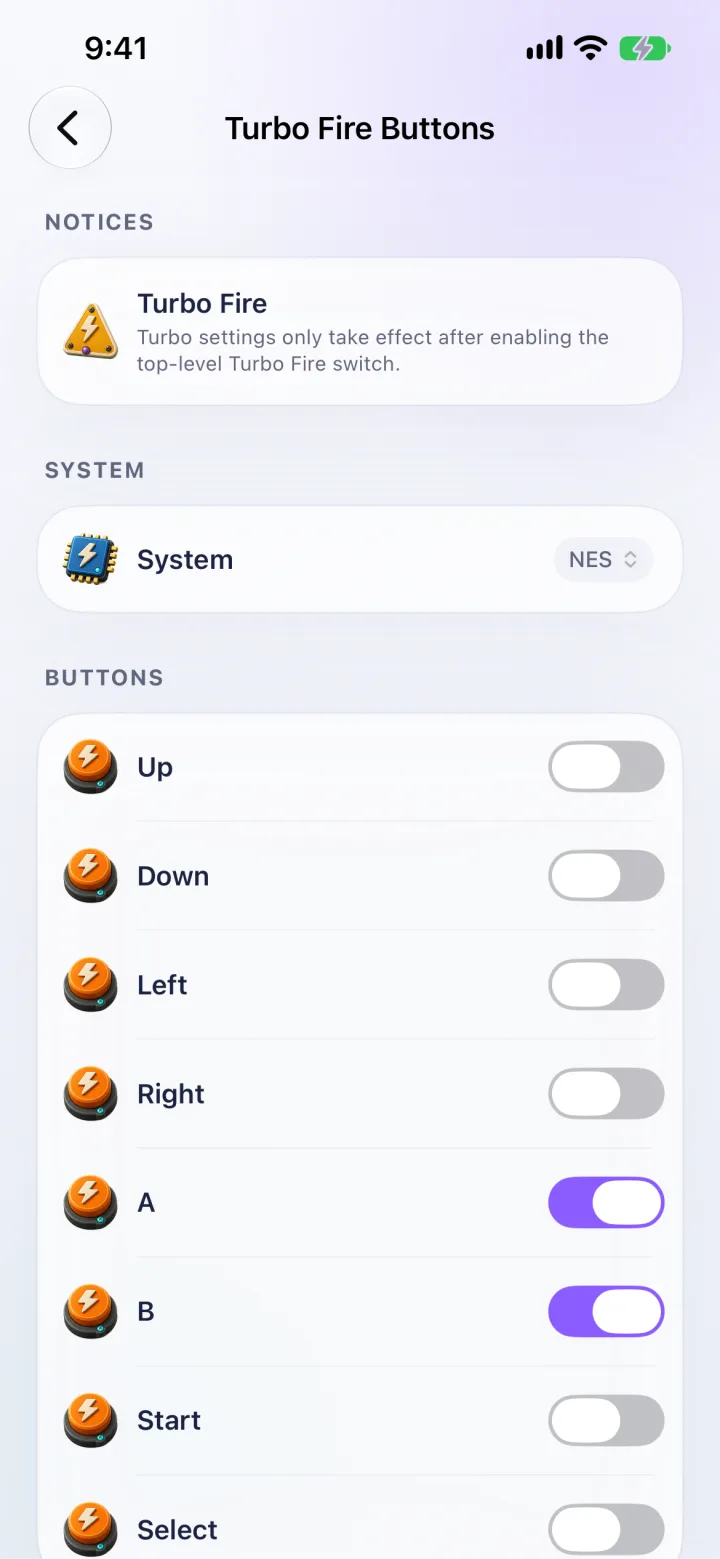
Turbo Fire has one master switch and a toggle for each button of each system. A game can override its system's choices, so a shooter can have turbo on B while everything else stays single-shot.
Fast-forward and sound
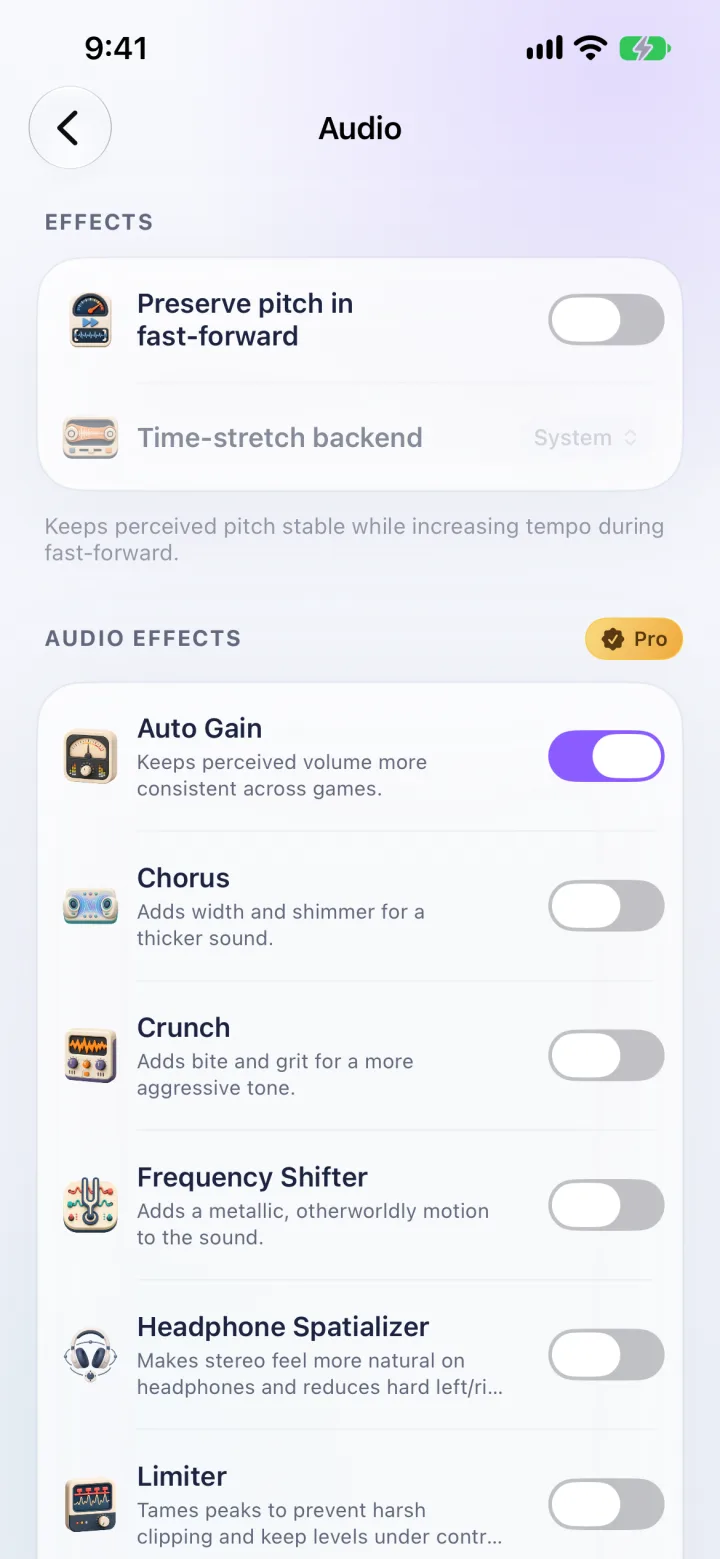
Hold the fast-forward control for a temporary boost and set its multiplier in Emulation settings. Preserve pitch in fast-forward keeps voices and music at their normal pitch while the tempo rises.
- Seventeen audio effects need Retropa Plus: Auto Gain, Chorus, Crunch, Frequency Shifter, Headphone Spatializer, Limiter, Slew Rate Limiter, Noise Floor Injector, Channel Crosstalk, DC Offset and Asymmetric Clipping, BitCrusher, Haas Widener, Bass Mono-izer, Tape Saturation, Psychoacoustic Bass, Reverb and GBA SP Speaker Model.
- Effects run in the order you configure, before audio reaches the speaker.
Controls questions
Can one game use different controls from the rest?
Yes. Open Control in the in-game menu to choose fixed or adaptive hot zones and turbo buttons for that game only. Everything else keeps using your global settings.
Which game controllers work with Retropa?
Controllers that iOS supports through its game controller framework, including Xbox, DualSense and DualShock, Nintendo and 8BitDo models. Pair the controller in iOS first; Retropa then applies a matching template that you can change in the mapping center.
Why don't I feel haptics on iPad?
iPad has no haptic engine. Waveform haptics, packs and Curve Studio are designed for iPhone.
Which control features need Retropa Plus?
Fixed hot zones, controller support with mapping, button settings and fast-forward are free. Adaptive touch and touch styles, custom haptics, turbo, several controller configurations and audio effects need Retropa Plus. Plans and prices are shown in the app.